
Docs • Blog • Discord • Tutorials
Welcome to the Docusaurus Vecto Search repository! This plugin provides Vecto-powered search for your Docusaurus website, with support for BM25 keyword search, Vecto.ai vector search, and hybrid mode that combines both using Reciprocal Rank Fusion.
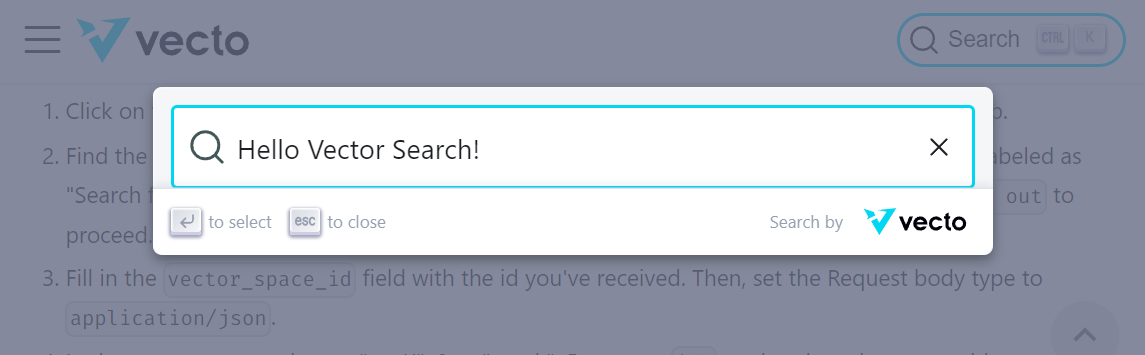
Ensure that you have a Docusaurus v3 project ready. You may also generate a fresh one by:
yarn create docusaurus my-website classicAlso ensure that you have a Vecto token ready. You may request one here.
Navigate to the root of your Docusaurus project, then install via
yarn add @xpressai/docusaurus-vecto-searchIn your docusaurus.config.js file, add the plugin to themes and configure it via themeConfig:
// docusaurus.config.js
module.exports = {
  themes: ['@xpressai/docusaurus-vecto-search'],

  themeConfig: {
    vectorSearch: {
      mode: 'hybrid',  // "bm25" | "vector" | "hybrid"
      vecto: {
        publicToken: process.env.VECTO_PUBLIC_TOKEN ?? '',
        vectorSpaceId: Number(process.env.VECTO_SPACE_ID ?? '0'),
      },
    },
  },
};
For BM25-only mode (no Vecto account needed), simply use:
themeConfig: {
  vectorSearch: {
    mode: 'bm25',
  },
},
For the full list of configs, refer to the configuration section.
You'll need to set the VECTO_USER_TOKEN environment variable for the plugin to ingest content into Vecto during builds. This token is private and is not exposed in the client bundle.
If you are deploying your Docusaurus site using a CI/CD service like GitHub Actions, set VECTO_USER_TOKEN as an environment variable in your workflow configuration. You can use repository secrets to securely store the token.
- name: Build
  env:
    VECTO_USER_TOKEN: ${{ secrets.VECTO_USER_TOKEN }}
run: yarn buildFor local development, you can export the VECTO_USER_TOKEN from your terminal:
export VECTO_USER_TOKEN=your_token_value_hereAlternatively, you can create a .env file in the root of your Docusaurus project and add the token there:
VECTO_USER_TOKEN=your_token_value_here
Using a .env file ensures that the token remains set between terminal sessions.
Finally, build your Docusaurus website with the new search configuration:
yarn buildThat's it! Your Docusaurus website should now be set up with the docusaurus-vecto-search functionality.
If you'd like to give it a try, we have implemented the search in the Vecto Docs and at Xircuits.io!
All configuration lives in themeConfig.vectorSearch. Every option has sensible defaults — you only need to set what you want to change.
| Option | Type | Default | Description |
|---|---|---|---|
mode |
"bm25" | "vector" | "hybrid" |
"hybrid" |
Search mode |
vecto.publicToken |
string | "" |
The public token for Vecto search (read-only, safe to expose) |
vecto.vectorSpaceId |
number | null |
The ID of the vector space |
vecto.clearOnBuild |
boolean | true |
Clear the vector space before re-indexing |
vecto.batchSize |
number | 10 |
Documents per ingest batch |
maxResults |
number | 10 |
Max results returned per search |
bm25.k1 |
number | 1.5 |
BM25 term frequency saturation |
bm25.b |
number | 0.75 |
BM25 document length normalization |
rrf.k |
number | 60 |
RRF fusion constant |
hotkey |
string | "mod+k" |
Keyboard shortcut to focus search |
placeholder |
string | "Search docs..." |
Input placeholder text |
content.chunkSize |
number | 500 |
Max words per chunk before the word-window splitter kicks in |
content.chunkOverlap |
number | 50 |
Words shared between consecutive word-window slices |
content.splitOnHeadings |
[number, number] |
[2, 4] |
Inclusive range of heading levels that start a new chunk (see below) |
Each source markdown page is turned into one or more chunks before being fed to BM25 and Vecto. A chunk's text field starts with a breadcrumb — the chain of ancestor headings from the page title down to the chunk's own heading, rendered as markdown — followed by the section body with its markdown structure (headings, emphasis, lists, blockquotes, code blocks) preserved. MDX-only noise — import/export lines, JSX/HTML tags, JSX expression braces — is stripped. The splitter runs in two passes:
- Heading split — the page is broken at every heading whose level falls inside
content.splitOnHeadings. The range[min, max]is inclusive on both ends, where1is#(H1),2is##(H2), and so on up to6. The default[2, 4]splits on##,###, and####. Headings outside the range are not boundaries — their full heading line and body flow into the enclosing chunk. - Word-window split — any section longer than
content.chunkSizewords is sliced into overlapping windows ofchunkSizewords withchunkOverlapwords of overlap between adjacent slices. Sections shorter thanchunkSizebecome a single chunk.
Examples for splitOnHeadings:
| Value | Behavior |
|---|---|
[2, 4] (default) |
Split on ##, ###, ####. Good balance of chunk specificity and size for typical docs. |
[2, 2] |
Split only on ##. Keeps all subsections of a section glued together — useful when H3/H4 are used for short sub-points you want retrieved alongside their parent. |
[2, 6] |
Split on every heading from ## down. Finest-grained chunks; may produce very short chunks on heavily-subdivided pages. |
[1, 6] |
Treat # as a boundary too. Rarely useful in Docusaurus because the page title comes from frontmatter, not an inline #. |
[3, 4] |
Ignore ##. An H2 section's intro and its nested H3/H4 subsections become separate chunks, but the H2 heading itself is not used as chunk metadata. |
Picking a range:
- Wider range → finer chunks, more specific
headingmetadata per chunk, better pinpointing — but some chunks may be tiny and lose context. - Narrower range → coarser chunks that keep related subsections together. Better for "what does this whole feature do" queries, worse for locating a specific subsection.
- Regardless of the range,
chunkSize/chunkOverlapwill further slice any chunk that exceeds the word limit, so very long sections never become unboundedly large.
vectorSearch: {
  content: {
    chunkSize: 500,
    chunkOverlap: 50,
    splitOnHeadings: [2, 3],  // split on ## and ###, ignore #### and deeper
  },
}You can use weighted score normalization instead of the default Reciprocal Rank Fusion:
vectorSearch: {
  mode: 'hybrid',
  weights: { vector: 0.7, bm25: 0.3 },
}If you would like to modify the current Vecto Search plugin, here are the steps:
-
Clone and install the repository:
git clone https://github.com/XpressAI/docusaurus-vecto-search cd docusaurus-vecto-search yarn install -
Build the plugin:
yarn build
-
Create a symbolic link for the project:
yarn link
-
In a different directory, create a new Docusaurus website or use an existing one:
yarn create docusaurus my-website
-
Move into the Docusaurus project directory and link the plugin:
cd my-website yarn install yarn link @xpressai/docusaurus-vecto-search -
Build the Docusaurus project:
yarn build
MIT